
Table Reports
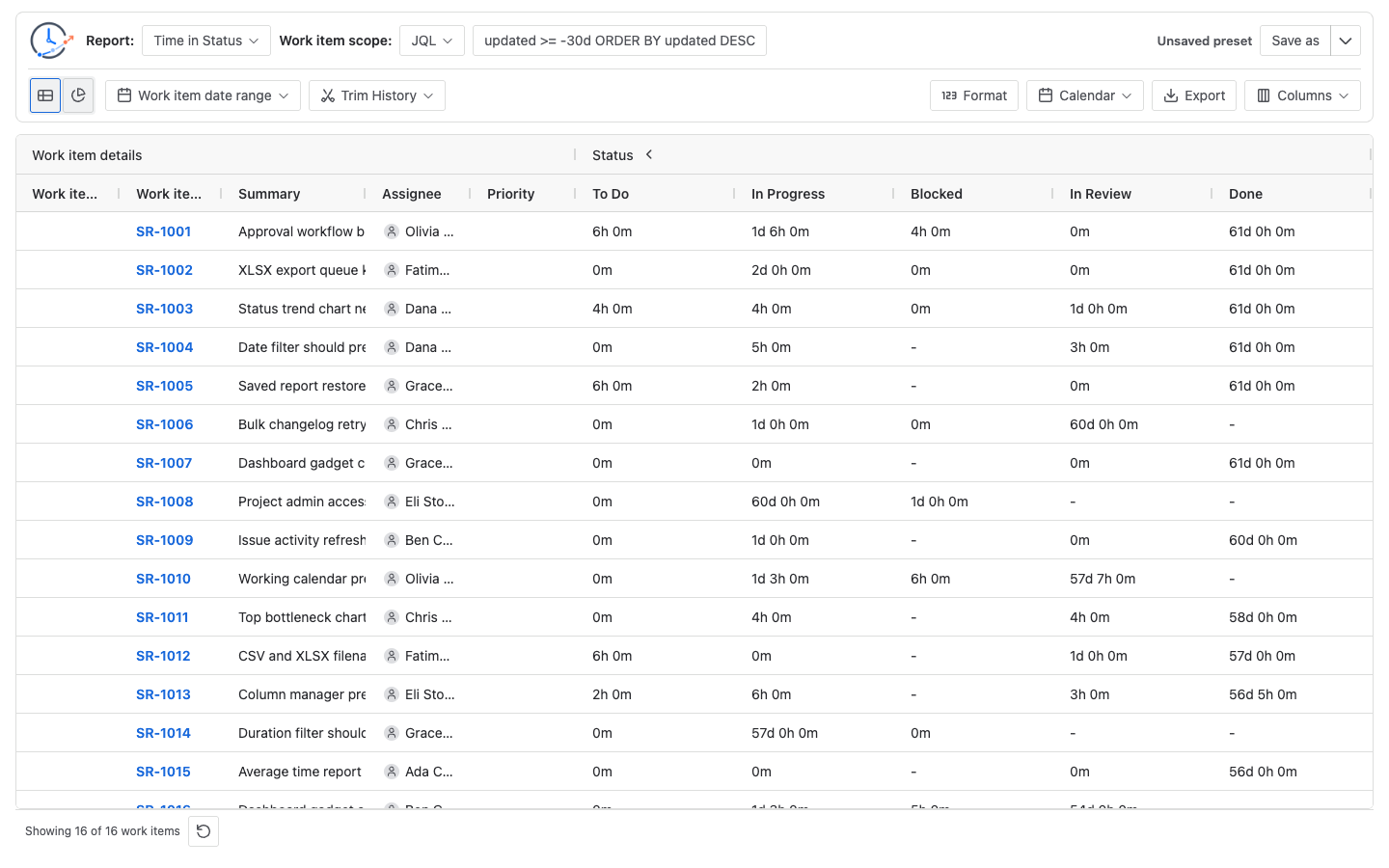
Table reports provide the detailed issue-level view for StatusPath Reports. Use the table when you need to inspect the exact issues behind a workflow metric, adjust visible columns, or prepare an export.
The table view is the best place to validate whether report scope, status selection, and time settings match your expectation.
When to use this
Use table reports when you need row-level results, issue fields, dynamic status columns, duration sorting, or exported report data.
Before you begin
- Run a report with a valid scope.
- Select the issue fields you want to include.
- Confirm which statuses or groups should be displayed.
Steps
- Open a report result.
- Select the table view.
- Review issue key, summary, project, status, assignee, and selected fields.
- Sort duration columns to find the longest waiting time.
- Use table filters to narrow the result.
- Export the table if you need to share it.
Result
The table displays the selected Jira work items and calculated report columns. Depending on the report type, columns may represent statuses, assignees, dates, counts, or transitions.
Notes
Supported table capabilities include:
- AG Grid report view
- Dynamic status columns
- Issue field columns
- Status groups
- Assignee groups
- Duration sorting
- Duration filtering
- Native table filtering
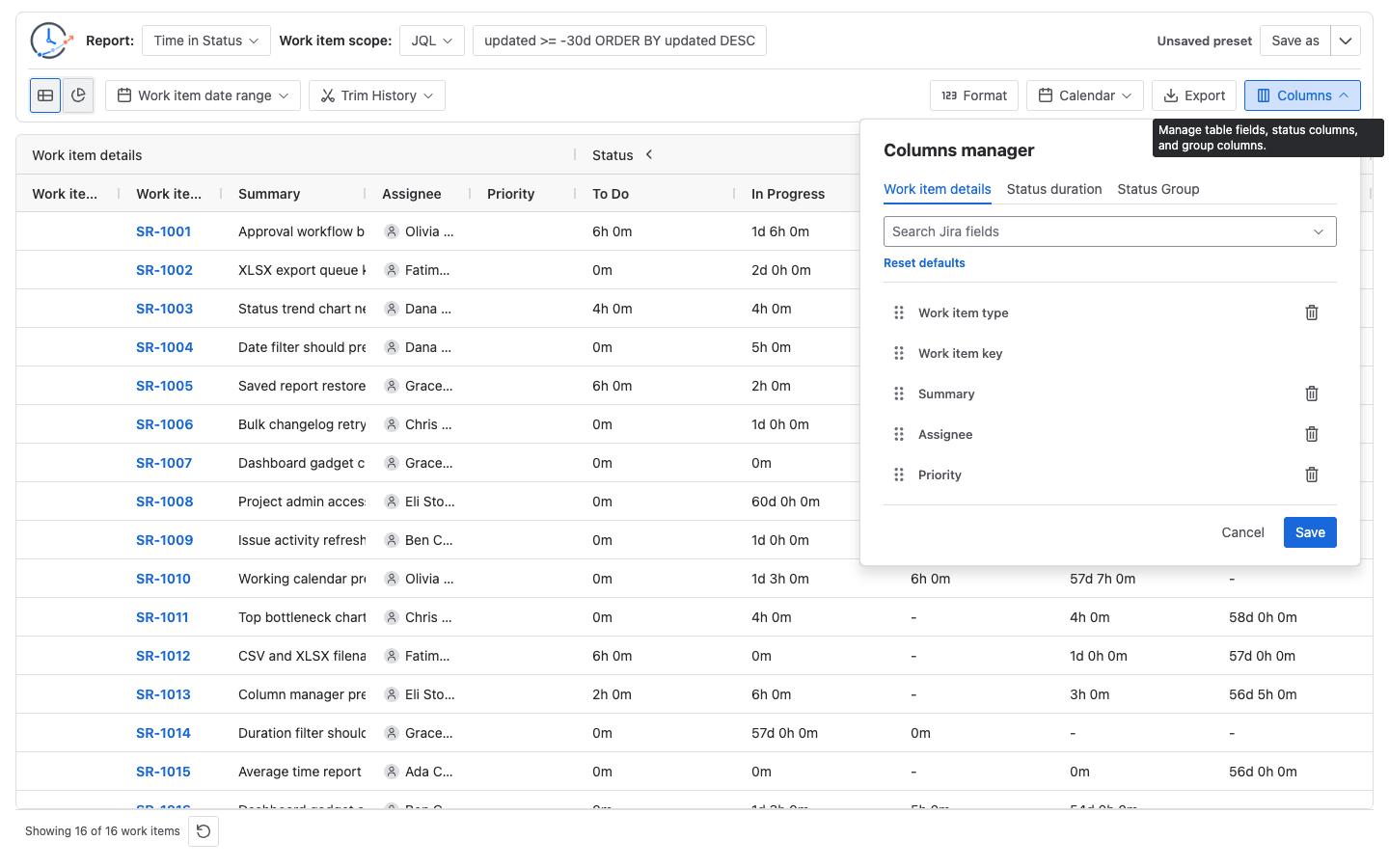
The Columns manager controls work item detail fields, dynamic status duration columns, assignee duration columns, status count/date columns, transition count columns, and supported custom groups. Default fields include work item type, work item key, summary, assignee, and priority.
Tip: Sort descending by a status duration column to find issues that waited the longest.When the grid API is available, CSV and XLSX export use rows after the current grid filter and sort state. Hidden columns are excluded and visible column order is preserved.
Troubleshooting
If a status column is missing, check whether the selected issues entered that status and whether the report configuration includes it. If sorting does not help, narrow the report scope and rerun the report.