
Dashboard Gadgets
The Dashboard Gadget shows a StatusPath report on a Jira dashboard for recurring visibility without opening the full Report Center.
Gadget availability and configuration can depend on Jira dashboard permissions and app configuration.
When to use this
Use dashboard gadgets when a team wants a recurring view of a saved report, bottleneck chart, or workflow metric without opening the full report center.
Before you begin
- Confirm that dashboard gadgets are available for your Jira site.
- Create or identify the report configuration you want to show.
- Make sure dashboard viewers have permission to view the underlying Jira issues.
Steps
- Open the Jira dashboard.
- Add a gadget.
- Search for the StatusPath Reports gadget.
- Select the report or configuration to display.
- Save the gadget settings.
- Refresh the dashboard and confirm the result.
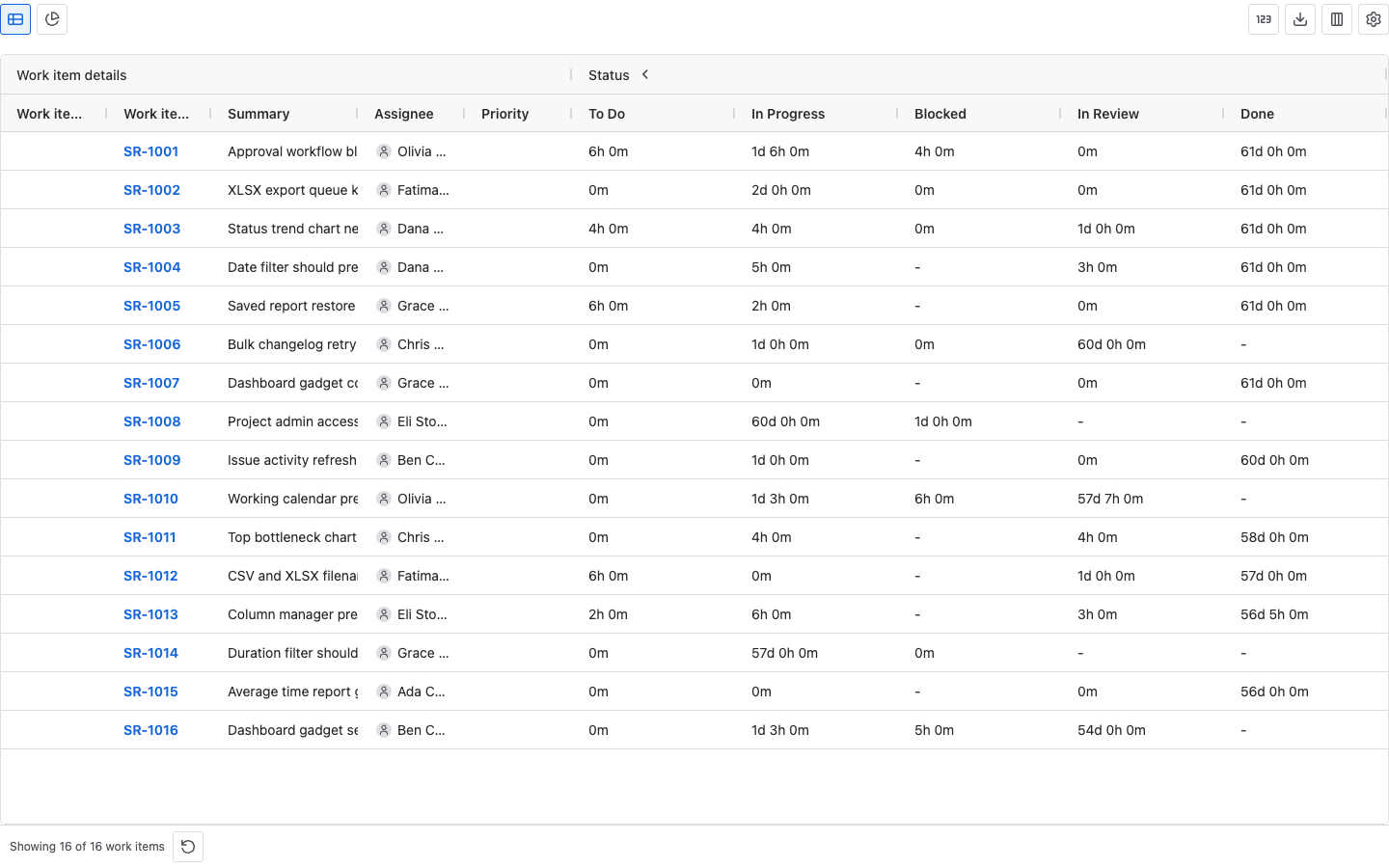
Result
The dashboard shows the selected StatusPath Reports view. Viewers only see report data for Jira issues they are allowed to view.
Notes
- Use saved reports for repeatable gadget setup.
- Keep dashboard reports narrow enough to load quickly.
- Dashboard viewers may see different results if their Jira permissions differ.
- The gadget setup supports report type, source, date presets, Trim History, duration settings where applicable, and work schedule where applicable.
- Dashboard Gadget configuration can be stored with the Jira dashboard item property path used by the app.
- Local mock screenshots do not prove dashboard item property persistence or Forge
view.submitbehavior; verify in a real Jira Cloud dashboard.
Troubleshooting
If a gadget is empty, confirm the selected Project, Filter, JQL, Sprint, or Epic returns work items in the main report center. Then check Work item range, Trim History, dashboard edit/view permissions, Jira issue permissions, and whether the chosen report type has data for the selected work items.