
How to Calculate Jira Active Workflow Time Excluding On Hold
Calculate a status-defined Jira workflow subtotal that excludes every On Hold interval, including repeated visits and working-calendar time.
To calculate Jira workflow time without On Hold, define the statuses that should count, add only those statuses to a Status Group, and keep the excluded On Hold column visible for reconciliation. StatusPath Reports then sums every interval for the included statuses, including repeated visits. The result is a status-defined workflow subtotal. It is not a stopwatch, labor time, or a Jira Service Management SLA.
Choose the native Jira report first when it owns the question
For a company-managed Jira Software space, Atlassian’s Control Chart lets you select the workflow columns that represent cycle time. Use it first when its population, status boundaries, elapsed-time definition, and chart output answer the question.
For a Jira Service Management service goal, use native SLA conditions. Atlassian documents separate start, pause, and finish conditions, including pausing while waiting for a customer. A reporting subtotal does not replace an SLA target, breach state, or pause clock.
Use a StatusPath Time in Status table when you need to inspect the included and excluded status durations per work item, apply a StatusPath working Calendar, sort or filter the subtotal, and export the current report evidence.
Define an allowlist, not an automatic exclusion rule
A Status Group is an explicit allowlist. For this example, create Counted lifecycle with:
| Included in Counted lifecycle | Intentionally excluded |
|---|---|
| In Progress | On Hold |
| Code Review | To Do |
| QA | Done |
The formula is:
Counted lifecycle
  = all In Progress intervals
  + all Code Review intervals
  + all QA intervals
There is no hidden “everything except On Hold” rule. A new workflow status does not join the group automatically. Review the mapping whenever a workflow changes.
Reconcile two On Hold visits with elapsed time
Use one controlled work item with this Jira status history:
| Interval | Status | Duration | Counted? |
|---|---|---|---|
| 2026-08-03 09:00–13:00 UTC | In Progress | 4h | Yes |
| 2026-08-03 13:00–19:00 UTC | On Hold | 6h | No |
| 2026-08-03 19:00–22:00 UTC | Code Review | 3h | Yes |
| 2026-08-03 22:00–2026-08-04 11:00 UTC | On Hold | 13h | No |
| 2026-08-04 11:00–13:00 UTC | QA | 2h | Yes |
With an Always / elapsed-time Calendar:
Full interval       = 28h
Counted lifecycle   = 4h + 3h + 2h = 9h
On Hold evidence    = 6h + 13h = 19h
Reconciliation      = 9h + 19h = 28h
Both On Hold visits remain in Jira History. The group omits their 19 hours from its subtotal; it does not erase or rewrite the source history.
Configure and verify the report
- Open StatusPath Reports → Report Center and select Time in Status.
- Choose a bounded Project, Filter, JQL, Sprint, or Epic scope. For the first check, use one known work item and leave Work item date range empty.
- Leave Trim History off unless the question explicitly requires a clipped history window.
- Select Always / elapsed time and Decimal Hours for the first reconciliation.
- Open Columns Manager. Keep In Progress, Code Review, QA, and On Hold visible.
- Create the Counted lifecycle Status Group with In Progress, Code Review, and QA only.
- Verify the base columns before trusting the group:
4h + 3h + 2h = 9h, and verify the two On Hold intervals total19h. - Sort or filter by Counted lifecycle, export the current table evidence as CSV or XLSX, and record the Counted lifecycle member list, Calendar, Format, and history boundary separately.
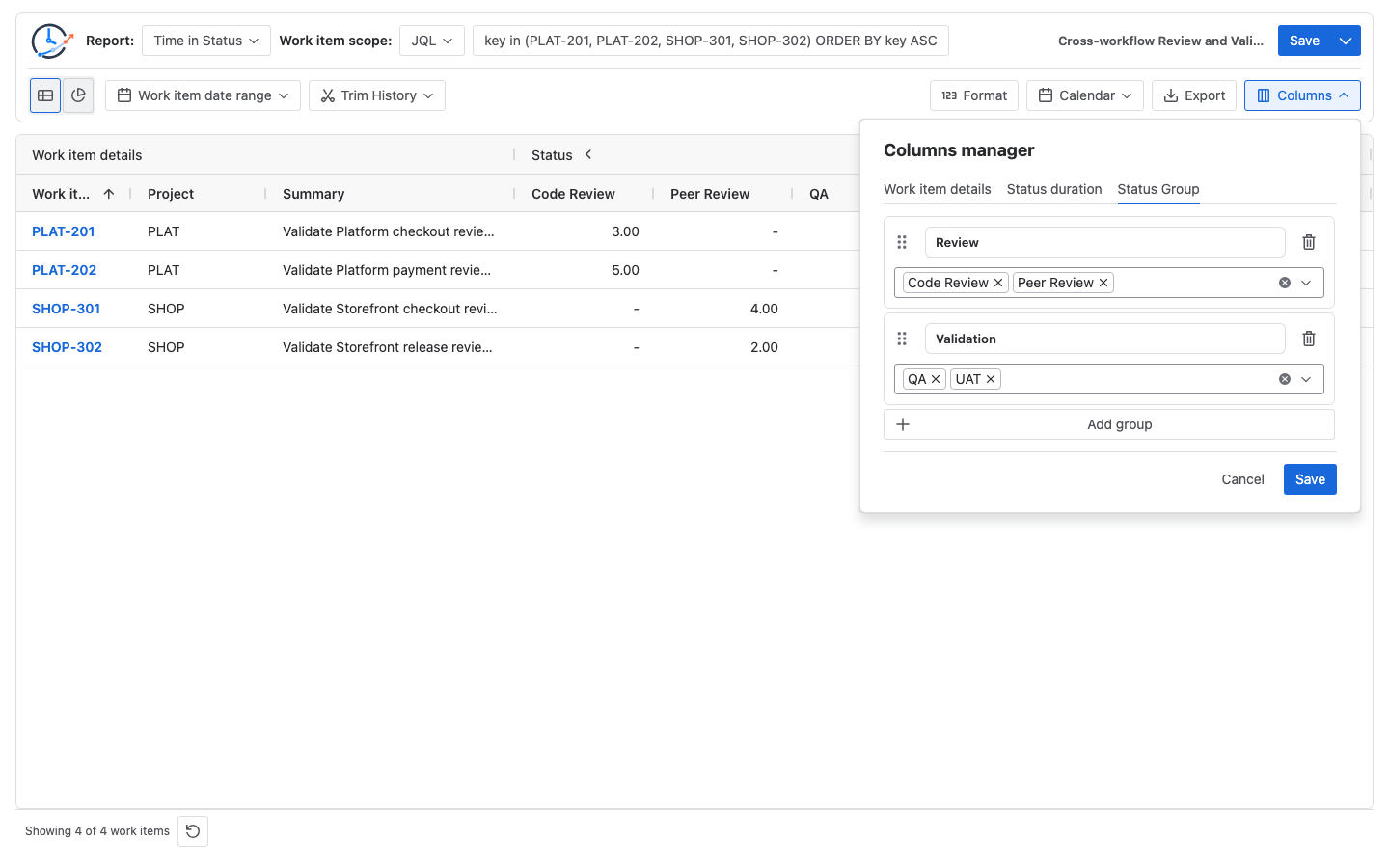
The current product supports Status Groups in Time in Status, Average Time in Status, and Status Count. This recipe uses Time in Status because its per-work-item group cell is the direct sum of member-status durations. Do not copy the same interpretation to Average Time in Status: an Average group adds the displayed member averages, and different member denominators can make that value different from a per-work-item merged-stage average.
Apply a working Calendar separately
Status inclusion and working time answer different questions:
- The Status Group decides which statuses count.
- The Calendar decides which clock intervals inside those statuses count.
Suppose a Monday–Friday Calendar counts 09:00–17:00. A controlled history contains:
| Working-calendar interval | Status | Counted working time |
|---|---|---|
| Day 1, 09:00–12:00 | In Progress | 3h |
| Day 1, 12:00–16:00 | On Hold | 4h excluded |
| Day 1, 16:00–17:00 | Code Review | 1h |
| Day 2, 09:00–13:00 | QA | 4h |
The four listed working-calendar intervals total 12h; Counted lifecycle is 3h + 1h + 4h = 8h; On Hold contributes 4h; and 8h + 4h = 12h. Nights, weekends, holidays, and exceptions must be evaluated by the selected Calendar before this reconciliation. Changing Format only changes presentation.
Boundary checks before using the number
Repeated On Hold visits
Use work items with zero, one, and two On Hold visits. Every included-status visit should be summed, and every On Hold visit should remain excluded from Counted lifecycle.
Reopened work items
A reopened item can create new included and On Hold intervals. Decide whether the report should include the complete history, a fixed Trim History window, or only a resolved population. StatusPath does not turn resolvedAt into an automatic permanent stop point.
Flagged without a status transition
If a work item remains In Progress while the Jira Flagged field changes, a status-only group still counts that In Progress interval. This recipe cannot subtract time represented only by a field change.
Current open intervals
Time in the current included status continues to grow until the report endpoint changes or the work item transitions. Freeze the generated-at time when reconciling an open item.
Overlapping Status Groups
If the same status appears in more than one group, each group can include the same duration. Do not add overlapping group totals.
What this subtotal does and does not mean
Call the result Counted lifecycle, included-status time, or status-defined active workflow time. Do not call it actual work time unless the workflow and operating policy prove that every counted status represents active labor. Queueing, review wait, automation, and unattended time can still exist inside an included status.
The number also does not prove why the item waited. Keep the base columns and Jira History available so reviewers can distinguish In Progress, Code Review, QA, and On Hold rather than acting on one broad subtotal alone.
Related Guides
- How to Create Status Groups in Jira Time in Status Reports
- How Repeated Jira Status Entries Affect Time in Status
- How to Exclude Weekends from Jira Time in Status
- How to Calculate Time in Status in Jira Cloud
Try the same controlled check in Jira
BlueGrove Labs builds StatusPath Reports. Open StatusPath Reports on Atlassian Marketplace, create the three-member Counted lifecycle group, and verify 9h counted + 19h On Hold = 28h against one work item’s Jira History before applying the definition to a wider scope.